
Dynamic Maps as a Service
Everybody loves a map.
Give us your list of places. We use purpose-built map software to turn it into an interactive map tailored to your content and site. We design it, host it, help you publish it, and handle updates. You never have to learn mapping software or geocoding.
Explore the food map demo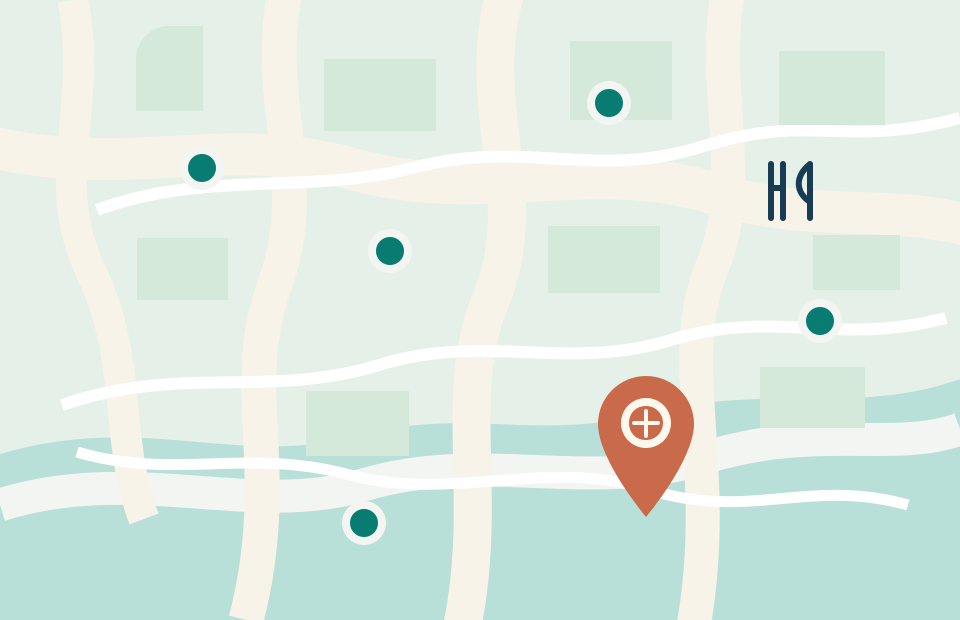
A specialist map serviceWe start with software built for curated places, then tailor the layout, place cards, map behavior, and visual design to your site. You get a finished map for your readers without learning a self-service builder or commissioning new map software from scratch.
A list becomes a map
A list tells readers what you recommend. A map answers the next question: where is it? They can see which places are near each other, pick a stop along a route, and move between a pin and your description.
That might be a restaurant roundup, a collection of trails, a neighborhood’s independent shops, or the businesses near a new development. Readers can pan, zoom, choose a pin, and browse the full list. The places and descriptions come from you; this is a curated map, not an automated scrape.
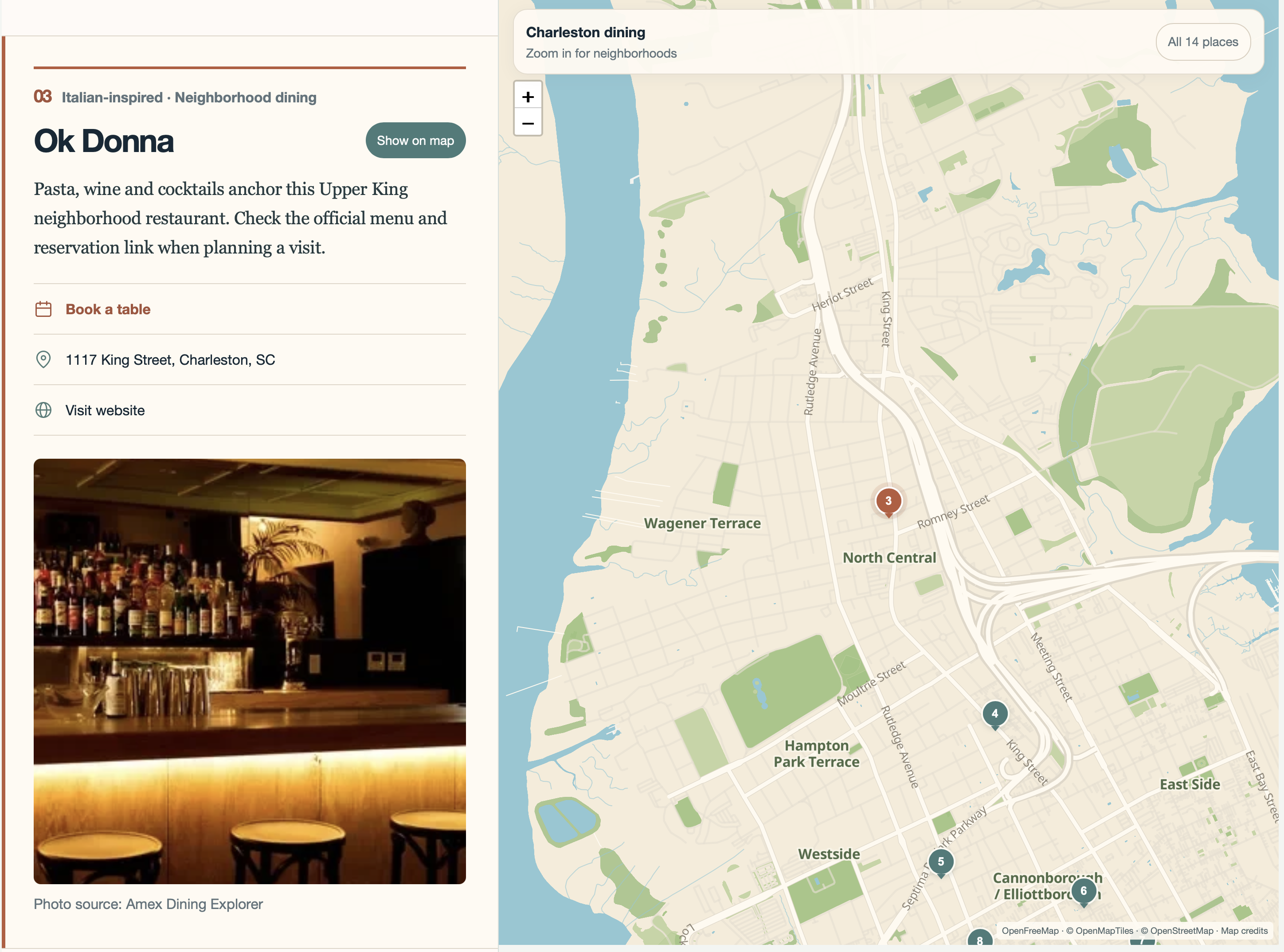
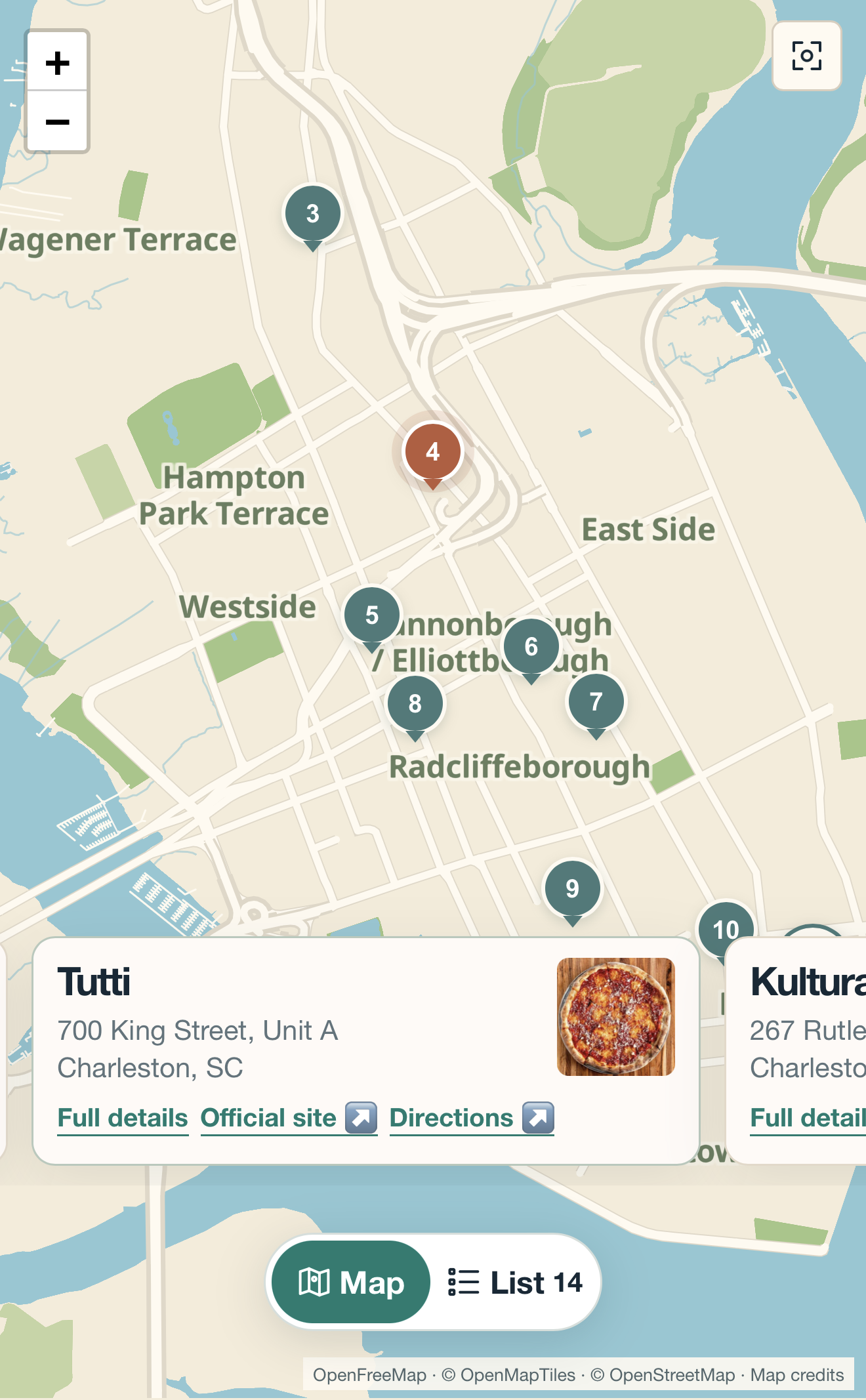
The map and the list work together. On desktop, the map follows the place a reader is viewing as they scroll the list; selecting a pin takes them to that entry. On a phone, readers can switch between the full list and map, then swipe through place cards as the map moves to each location. The map camera (the view on screen) shifts so the selected pin stays visible above the cards.
This approach grew from a specific editorial need: keep the full restaurant write-up while showing where that restaurant sits in Charleston. The food map is a working example of that reading experience. We use it as a starting point, then shape each new map around its own places, audience, and website.
Who it is for
Independent journalists and food writers often publish geographic lists without the production team they had at a larger publication. A map gives each roundup a place readers can explore.
It also works for niche sites covering mountain biking, nurseries, local retail, music venues, and other interests where location matters. Real-estate developers and marketing teams can use the same format for a polished “what’s nearby” map on a subdivision or project website.
What you send
Send the names of the places and enough detail to identify each one, such as an address or town. Add the short descriptions you want readers to see, preferred photos you have permission to use, and any official, booking, or directions links you want included. A document or spreadsheet is enough.
You choose the places and the editorial point of view. You do not need to find coordinates, correct pins in a dashboard, or write embed code.
What we handle
Curated interactive maps are the work this service specializes in. Our software already connects the list, pins, place cards, and mobile map view. We check locations with a person in the loop, resolve ambiguous addresses with you, and adapt the layout, colors, typography, and reader interactions to your material and site. Then we test the experience on desktop and mobile.
We host the finished map on Cloudflare and handle later corrections and additions. If you publish several ongoing lists—new openings, neighborhood guides, or different categories—each can have its own map. The point is to give you a finished visual asset without another piece of software to manage.
Where it lives
When your platform allows it, the map can sit inside an article or page as an HTML embed, often called an iframe or embed block. It can also live on a dedicated page on your site or domain. A separate plugin is not necessarily required.
We provide the embed and help implement it in your existing blog or website, including placement and desktop and mobile checks. Your newsletter can link readers to the map or to an article containing it; interactive maps do not run inside most email messages. If your publishing platform blocks embeds, we help set up a linked map page instead.
Pricing and updates
There is no upfront development cost. We spread the cost of building your map across 12 monthly payments. A standard map is planned at about $45 per month; publishers with several maps can use the proposed volume rates below.
| Map in your collection | Monthly payment, months 1–12 |
|---|---|
| First and second | About $45 each |
| Third and fourth | About $35 each |
| Fifth and later | About $25 each |
After the 12th payment, development payments end. We continue hosting your map at no charge, so it stays live. Custom design or functionality, including larger development and marketing projects, can be quoted at a different monthly rate. We’ll show the full 12-month cost before work begins. A proposal may also set a fair-use limit on map views if traffic warrants one.
We handle corrections and additions. If you commission a substantial update, that work may begin a new 12-month payment period; we’ll explain the cost and timing before starting it. These rates are indicative, with final terms set for your map and site integration.
Why readers return
A newsletter can introduce a new set of places, then link to the map so readers can plan a visit. A blog can keep one map alongside a series of posts. A “what’s nearby” map can help a prospective resident explore an area without working through a long list of addresses.
Maps are visual and quick to scan. When you add places or update a collection, readers have a reason to revisit and share it. That can support traffic to your site, though no map guarantees a traffic increase. Its value starts with recommendations people trust and a format they can use.
See the food map
Our Proof of Concept Food Map turns a Charleston restaurant selection into a map and a full list. Try scrolling the list on desktop: the map follows the restaurant you are reading. On a phone, switch between the list and map, then swipe the place cards to move between locations. Each entry can include a photo, description, address, official site, and directions.
This archived January 2026 example shows the format; it is not a current restaurant openings guide. Your map would start with your own places and editorial point of view.
Start with your list
Tell us what you cover, where the places are, and where the map should live. We’ll work through the design, integration, and ongoing updates with you.
Ask about a custom map